A real phone in the truck
A small plugin in the game draws the LS phone over ATS. Lifestyle Link on your PC does everything online, the same way it does for FS25. FS25, BeamNG and ATS players are on the same Lifestyle network.
The phone in the game
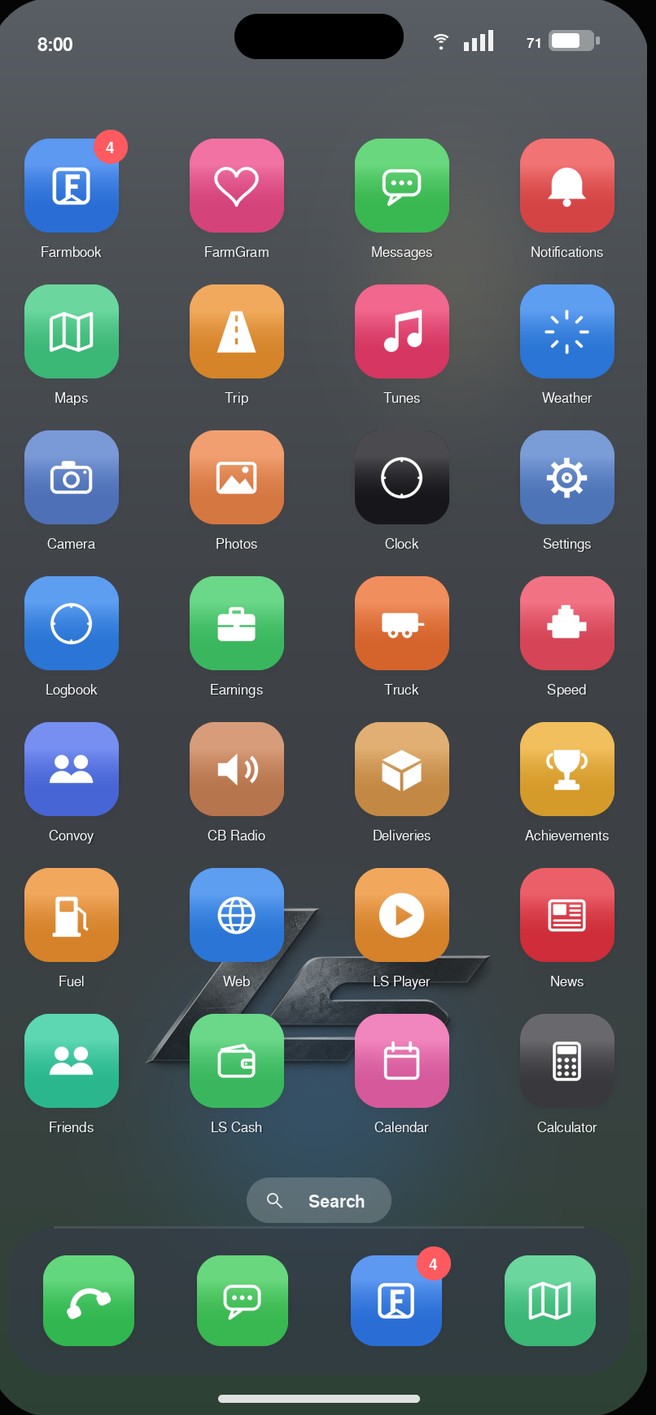
Press F7 (you can change it) and the LS phone opens over the game, with the same look and apps as in FS25. Press it again to keep driving.
Farmbook & FarmGram
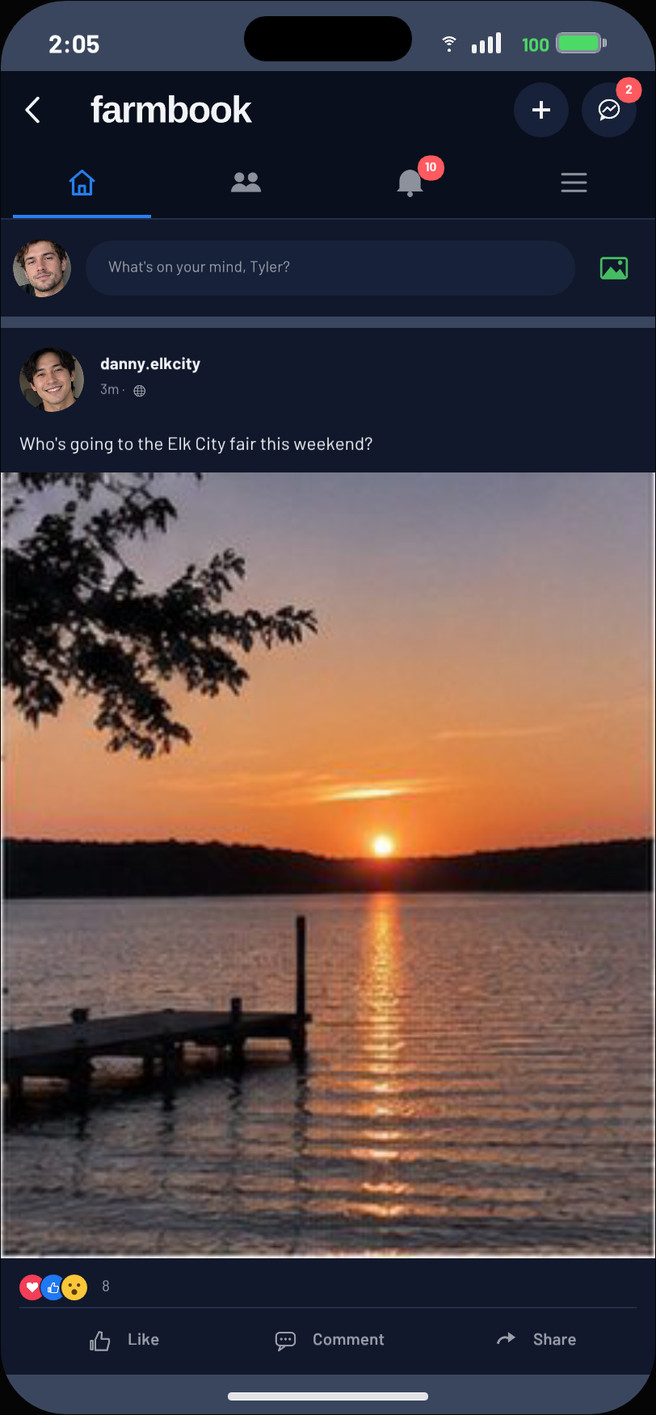
Read the feeds, react, comment and post. Posts from ATS get an ATS tag, and Farmbook gets an "ATS drivers" filter.
Messages & calls
The same chats as your FS25 phone and the website. New messages, calls and notifications pop up while you drive.
Trip
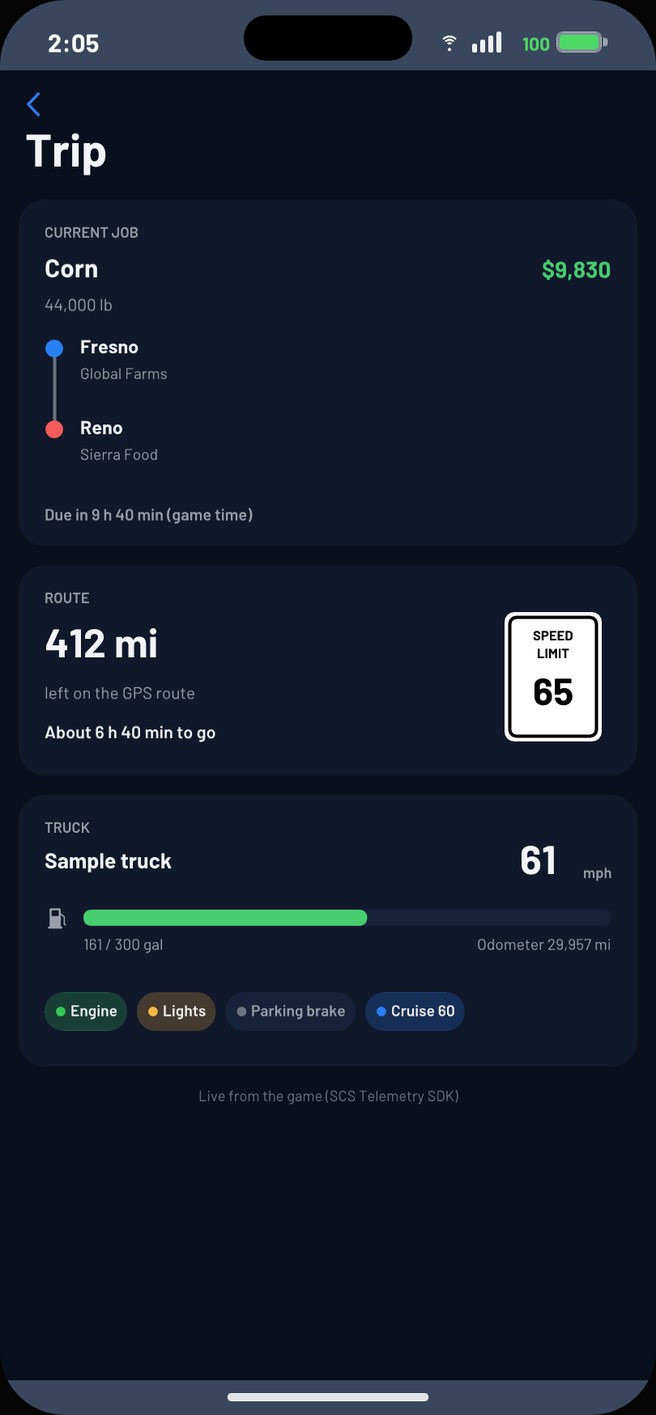
Your job at a glance: cargo, from and to, pay, miles left on the GPS route, the speed limit, your truck and fuel. Live from the game.
Logbook
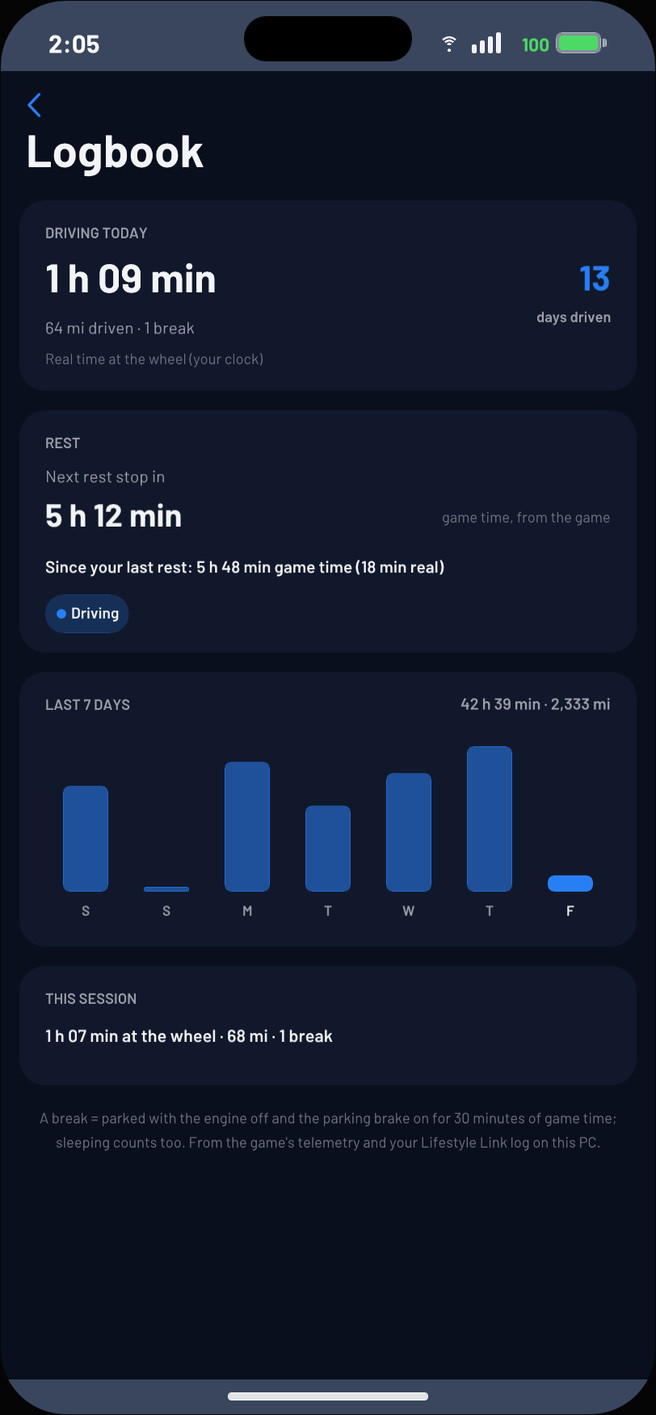
Hours at the wheel today, the time to your next rest stop, breaks, days driven and a chart of your last 7 days.
Earnings
Jobs, miles and pay for 7 days, 30 days or all time, your best-paying routes and your fines. Game money only.
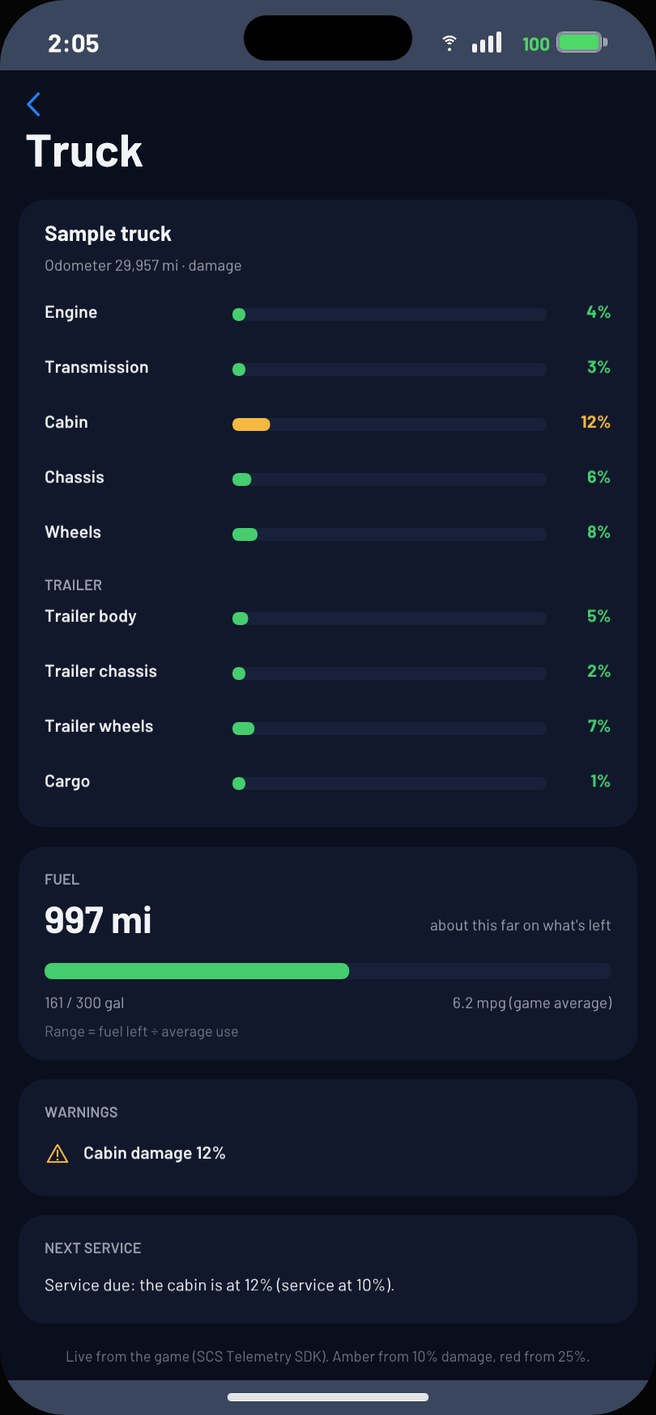
Truck health
Wear on the engine, transmission, cabin, chassis and wheels, plus the trailer and cargo damage. Oil, water and brake temperatures, air pressure, battery, lights, fuel range and warnings.
Speed
Your speed next to the speed limit sign, cruise control, and how often you went over the limit on this job.
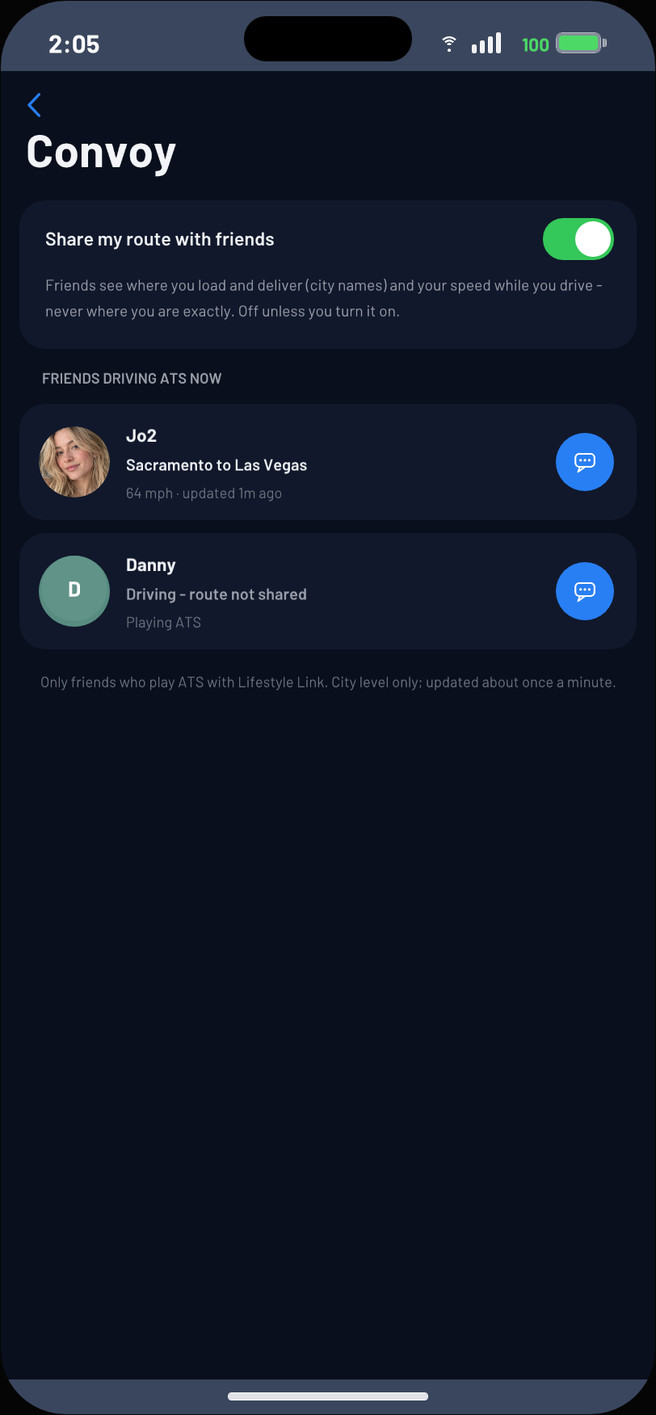
Convoy
See which friends are driving ATS right now. Share your route (city names only, never your exact spot) if you turn it on.
CB radio
One-tap messages to a friend like "10-4" or "Rest stop next exit", and an optional "I'm driving" auto-reply while you're moving.
Deliveries
Every finished job in a list. Share one to Farmbook, like "Hauled 20 t of corn, Fresno to Reno, 412 mi". You choose Post or Discard.
Achievements
First delivery, 1,000 miles, a clean delivery, a week with no fines, 10 and 25 cities. Worked out from your own log.
HayThere
The same made-up dating app as on the FS25 and BeamNG phones. Everyone in it is a made-up adult. Swipe, match and chat, and it all stays on your PC.
Dash screen
Put a screen on your truck's dashboard (press F8, line up its four corners once per truck): music, calls, your trip and messages.
Browser & LSTube Testing
A web browser and LSTube for watching videos, right on the phone. It needs ATS in borderless window mode, and it stays hidden in fullscreen.
Camera & photo editor New
Take a clean shot of the game (the phone hides for that frame) with a 3 or 10 second timer, burst and grid. Edit it with filters, frames, crop, text and stickers, then post it as a draft. The angle is the game's camera.
Maps New
A live map in its own style with your truck, the trail you drove, your job's progress and spots where you got fined before. Night colors after dark.
Real weather New
The real weather in the real US cities on your route: now, hourly, the next days, severe alerts and radar from the National Weather Service. It isn't the weather in the game.
Radio, podcasts & more New
Internet radio, podcasts, free public-domain audiobooks, LS TV with classic shows, a sleep timer, and video that pauses when you drive faster than you choose.
Everyday apps New
Clock with alarms (game time or real time), timer and stopwatch, notes and checklists, a calculator with pay per mile, a unit converter, a calendar, expenses, and fuel and service reminders.
Community New
CB rooms by channel, state and language, boards for tips, road reports and truck stop food, leaderboards, meetups with RSVP, haul requests between friends, and a truck show. Sharing your stats or map spot is off until you turn it on.
Web apps New
98 real sites in folders (Watch, Listen, Live world, Farm & truck, Community, Games, Handy) with our own short names and icons. Each opens in the phone's browser, and your sign-ins stay on your PC. Video sites that need protected playback only show if your PC can play them.
Browser & video volume New
A volume slider and mute just for the pages in the phone's browser (LSTube, TV, web apps), in Settings > Sound and on the browser screen, plus a separate volume for the phone's games. Windows' volume and your other programs are never touched.
Backup screen New
Shift into reverse and the phone (and dash screen) shows guide lines that bend with your steering, your trailer's angle with a jackknife warning, and your speed. It's drawn from the game's data, not a camera. It can also switch the game's own camera for you.
Truck buttons New
Bind the phone's buttons once in the game's controls, then honk, flash the beacon or switch the lights from the phone. Single player and Convoy only.
Settings like FS25 New
Make the phone bigger or smaller, put it left, right, center or anywhere, see-through or landscape. Themes, wallpapers (your own photos too), text size, quiet hours, sounds and phone volume. Search finds any setting.
Friends see you're driving
Your friends see "Playing American Truck Simulator" while you're on the road, like they see FS25 and BeamNG.
What it can't do: it doesn't change your save, your money, jobs or traffic in ATS. It only reads what the game tells plugins (your truck, your job, your deliveries) and shows your LS apps. Nothing is posted unless you press Post.
The phone
Previews of the ATS phone with our test accounts and a made-up trip: the home screen in the LSOS look, the apps drawn by the plugin's own phone code. They aren't in-game screenshots yet.
How it works
Two pieces: a small plugin in ATS, and Lifestyle Link on your PC (the same program FS25 players already use). You need Windows and American Truck Simulator on Steam.
- Get Lifestyle Link (download) or let yours update itself. Start it and sign in with your Lifestyle account.
- Close American Truck Simulator. The game keeps its plugins locked while it runs.
- In Lifestyle Link, open the American Truck Simulator page and press Install the plugin. Link finds ATS in your Steam libraries, checks the file and puts
LSLifestyleATS.dllintosteamapps\common\American Truck Simulator\bin\win_x64\plugins. Other plugins in that folder stay as they are. - Start ATS. The game shows a notice that SDK features are active (see below). Press OK.
- Load your profile and press F7 to open the phone. Lifestyle Link's ATS page shows Playing and your live trip.
Removing it: Lifestyle Link's ATS page has a Remove button (with the game closed). It only removes its own file.
The SDK notice at every start: while any SDK plugin is in the game's plugins folder, ATS tells you at each start that SDK features are active. That's normal and comes from the game itself. Press OK and play. It goes away if you remove the plugin.
DirectX 11: the phone draws over the game with DirectX 11. If ATS is set to another renderer, Lifestyle Link tells you, and your other LS apps keep working. In ATS: Options > Graphics > Renderer: DirectX 11, then restart the game.
Borderless window: works best, so switching to Lifestyle Link or your browser stays quick. The Browser and LSTube apps need it. Fullscreen works for everything else.
Controls
| What | Default |
|---|---|
| Open / close the phone | F7 (change it in Lifestyle Link or the phone's Settings) |
| Dash screen on / off | F8 |
| Use apps | Mouse, like a touch screen: click to tap, drag to scroll, swipe between home pages, swipe up to go home and down for notifications. The wheel scrolls too. The game doesn't get your mouse or keys while the phone is open. |
| Type | Click a text box. Your keys go to the phone, so the truck won't move while you type. |
| Back / close | Esc goes back, and closes the phone from the home screen |
| Drive with the phone open | Settings > Phone > While the phone is open: Hold a key to use. The phone only takes the mouse and keys while you hold a key (Alt by default) |
| Favorite apps | Ctrl+Shift+1-4 (pick them in Settings > Phone > Favorite app keys) |
| Controller | Turn on Settings > Accessibility > Controller and arrow keys: D-pad moves, A opens, B goes back |
FAQ
Is it free?
Yes. No ads, nothing to buy.
Is it the same account as FS25?
Yes. Same friends, messages, Farmbook and FarmGram. Your FS25 farm isn't changed by anything you do in ATS. You don't need FS25 to use it.
Does it post anything by itself?
No. Delivery posts are off until you turn them on, and even then you see each one first and choose Post or Discard. Your exact position is never posted.
Does it work in multiplayer?
In Convoy (the game's own multiplayer) it works like single player. On other multiplayer servers the phone in the game stays off unless you allow it in Lifestyle Link. Follow each server's own rules.
Does it change game files or my save?
No. It's one plugin file in the game's plugins folder. It reads what the game tells plugins and never writes to your profile.
Why does ATS show a notice about SDK features?
The game shows it whenever any plugin is installed. It's normal. Press OK and play.
What about Euro Truck Simulator 2?
Not yet. ATS comes first.
Mac or Linux?
Windows only for now.