Everything online works across both games
FS25 and BeamNG players are on the same Lifestyle network. Add each other, message, call and comment, whichever game you're in.
FarmGram & Farmbook
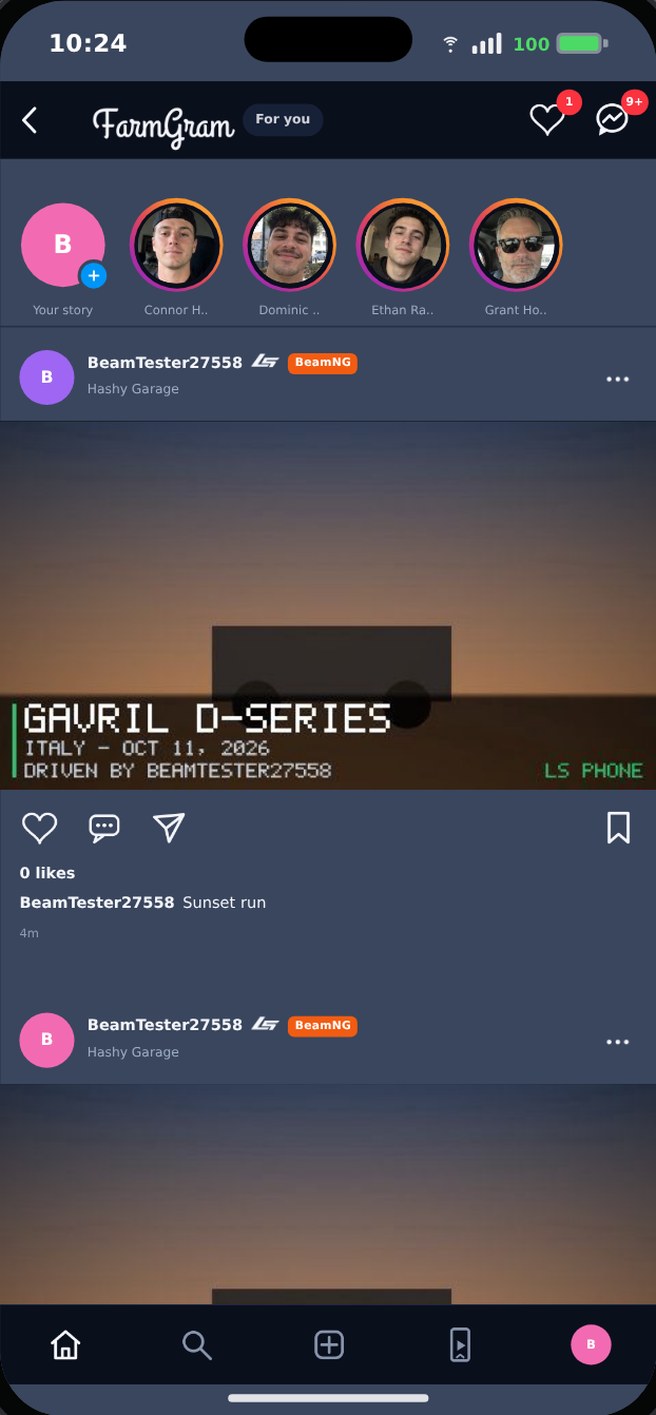
Post BeamNG screenshots, react, comment and share. BeamNG posts get a BeamNG badge, and you choose whose posts you see: FS25, BeamNG or both.
Messages & calls
The same chats as your FS25 phone and the website. Call a friend who's farming while you're on a mountain road.
Friends & notifications
Friend requests, pokes and alerts. Friends see "Playing BeamNG.drive" and your map when you're online.
Car BeamNG
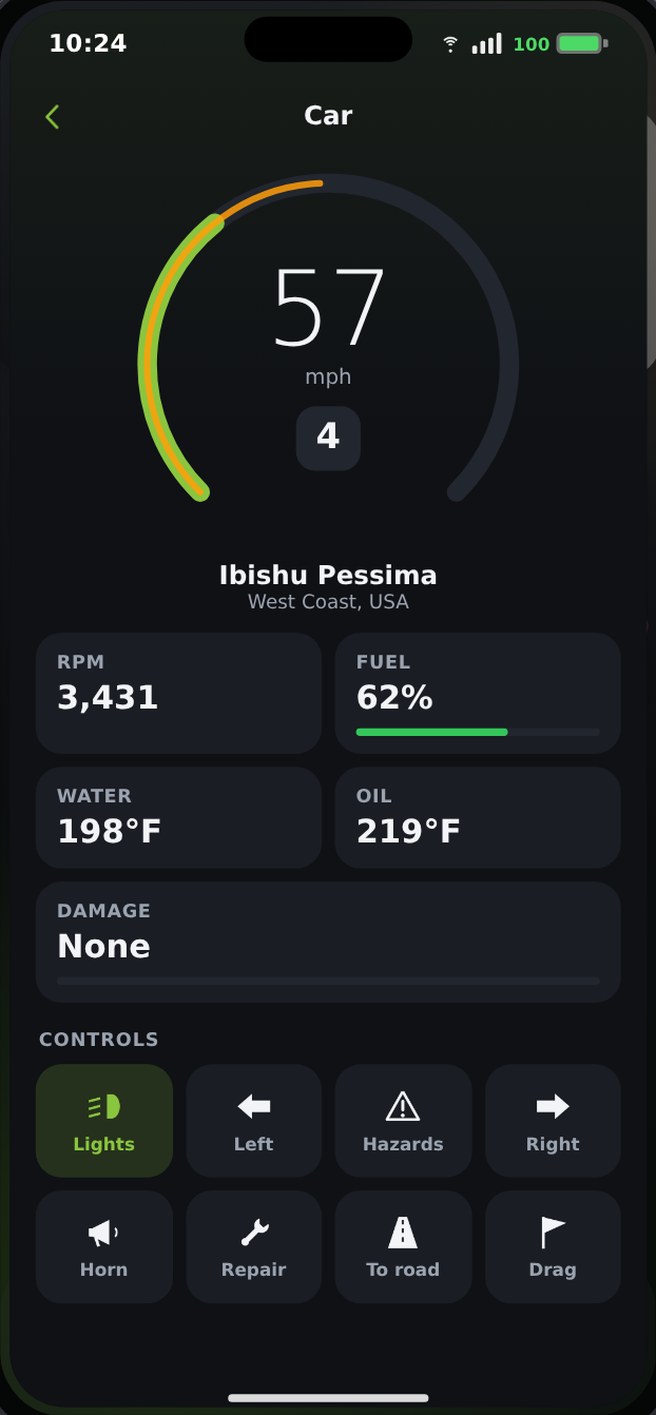
Live speed, RPM, gear, fuel, temps and damage, plus quick controls: lights, hazards, signals, horn, reset and recover.
Drag timer BeamNG
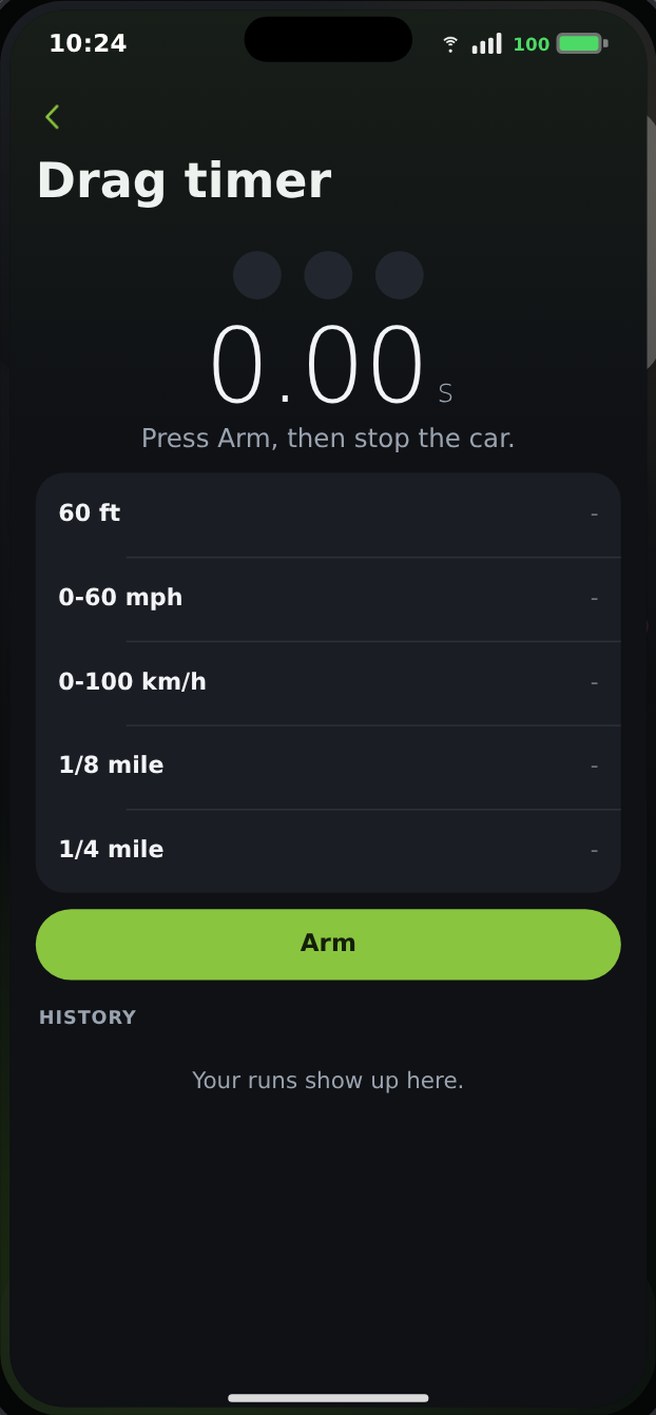
0-60 mph, 0-100 km/h, 60 ft, 1/8 and 1/4 mile with trap speed. Keep your history, post a run, and climb the online board.
Maps BeamNG
The real road map of the level you're on, a GPS route with a line on the road, saved spots and teleport.
Music BeamNG
Plays songs from your PC's Music folder, with an "in the car" sound option.
Weather, radar & news
Real weather and radar, the same as in FS25, plus headlines.
LS AI
Ask anything. It knows the map and car you're in.
The real phone
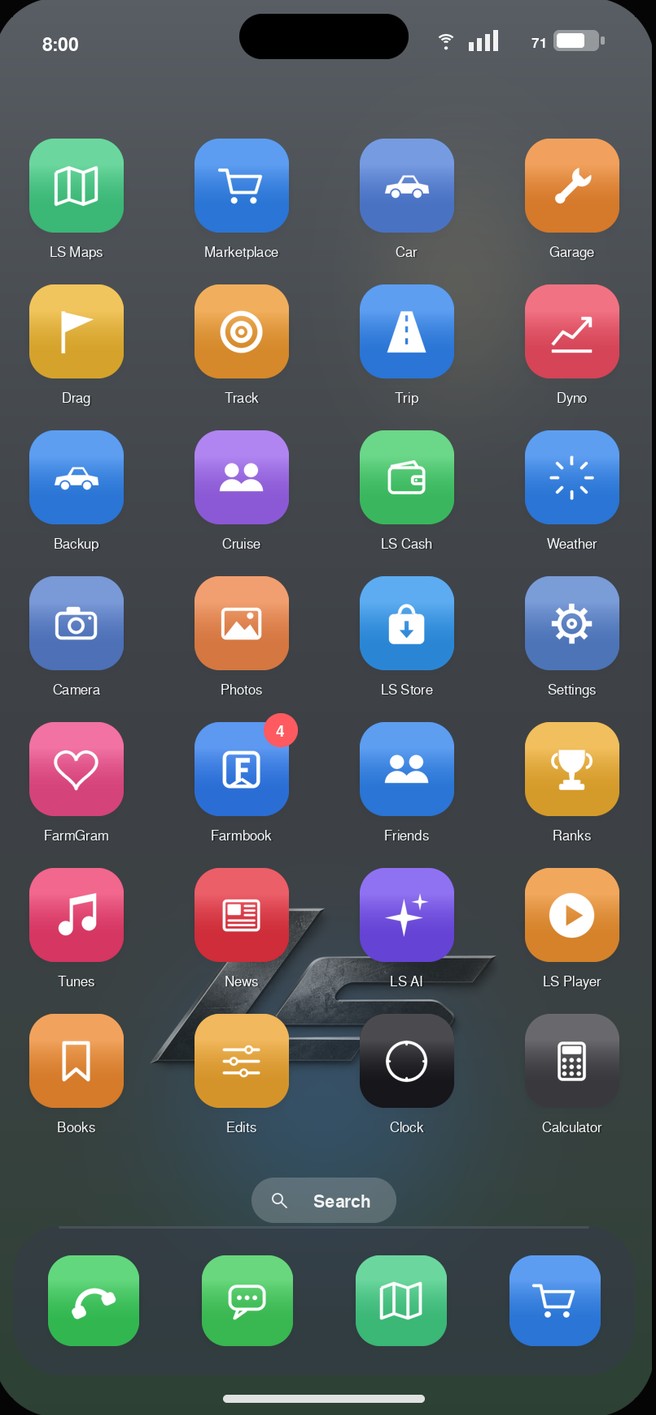
Lifestyle for BeamNG runs LSOS, the same phone look and apps as FS25. The home screen shows LSOS with the BeamNG apps; the other screens are from the BeamNG phone itself. The names and posts shown are our own test accounts.
Install
Two pieces: the mod in BeamNG, and Lifestyle Link on your PC (the same program FS25 players already use).
- Get Lifestyle Link 3.25 or newer. Download it here (or let your current Link update itself). Start it once and sign in. It's the same account as FS25, if you have one.
- Download Lifestyle for BeamNG (the button above) and put
LS_Phone_BeamNG.zipas it is, without unzipping, into your BeamNG mods folder:Documents\BeamNG.drive\current\modsor%LOCALAPPDATA%\BeamNG\BeamNG.drive\current\mods. In BeamNG, Mod Manager > Open mods folder takes you there. - Start BeamNG.drive and load any map. Lifestyle Link finds BeamNG by itself and gives the phone its key. In Link, the BeamNG.drive page should say connected.
- Press Left Alt + O to open the phone. You can keep driving while it's open. The first time, the phone adds itself to your screen. The Esc menu also has an LS Phone tab with the phone's settings, your Link status and quick buttons for the apps.
Lifestyle Link only accepts BeamNG on your own PC. Websites can't use it, and it needs a key only your BeamNG has.
Turn it on or off: BeamNG turns a new mod on by itself. It's listed as LS_Phone_BeamNG in BeamNG's Mod Manager, where you can turn it off or on. Update: while Lifestyle Link runs, it puts a new version in by itself when BeamNG is closed and keeps the old zip as a backup. You can also download the new zip and replace the old one. Remove: close BeamNG and delete LS_Phone_BeamNG.zip from your mods folder.
Controls
| What | Default |
|---|---|
| Open / close the phone | Left Alt + O (change it in Options > Controls > LS Phone) |
| Use apps | Mouse. Scroll to scroll, click to tap. |
| Type | Click a text box. Your keys go to the phone until you click away or press Esc, so the car won't move while you type. |
| Back / home | The back arrow at the top, or the bar at the bottom |
Drag board
The best times from the phone's drag timer. Runs are checked by the server; times that can't happen don't count.
FAQ
Do I need FS25?
No. Lifestyle for BeamNG works on its own with Lifestyle Link. If you also play FS25 with Lifestyle, it's the same account, friends and chats.
The phone says "Lifestyle Link needed"
Start Lifestyle Link (3.25 or newer) and wait a few seconds. The car apps, drag timer, map and camera work without it. Only the online apps need it.
Link says BeamNG's folder wasn't found
Start BeamNG once so it makes its folder, or set your BeamNG user folder in Link under Settings > BeamNG.drive folder. It's the folder with mods and settings in it.
Can I see only BeamNG posts, or only FS25 posts?
Yes. In FarmGram or Farmbook pick Both, FS25 or BeamNG. It's one setting for your account, so the website and both phones follow it.
Does it change my game or other mods?
No. It's a UI app plus a small script, and it never touches BeamNG's own files. It doesn't send farm stats or money, and it stays off the FS25 money and land boards.
What does it read from my PC?
Only what you open on the phone: your BeamNG screenshots folder (for Photos and posts) and your Music folder (for Music). Pictures are only uploaded when you post them. See the Privacy Policy.